
Dropbox Sign: Sign & Fill Docs1.17 - App Store
You'll be able to see results in few seconds.
Publisher Description

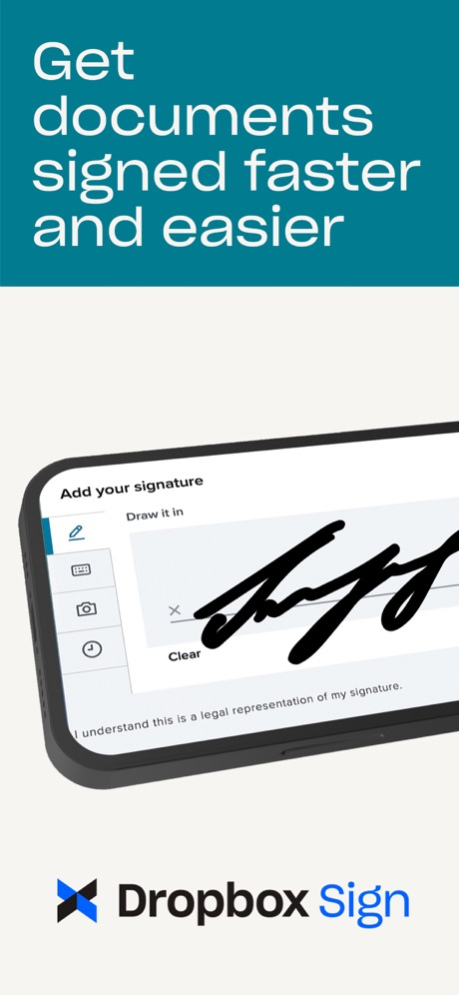
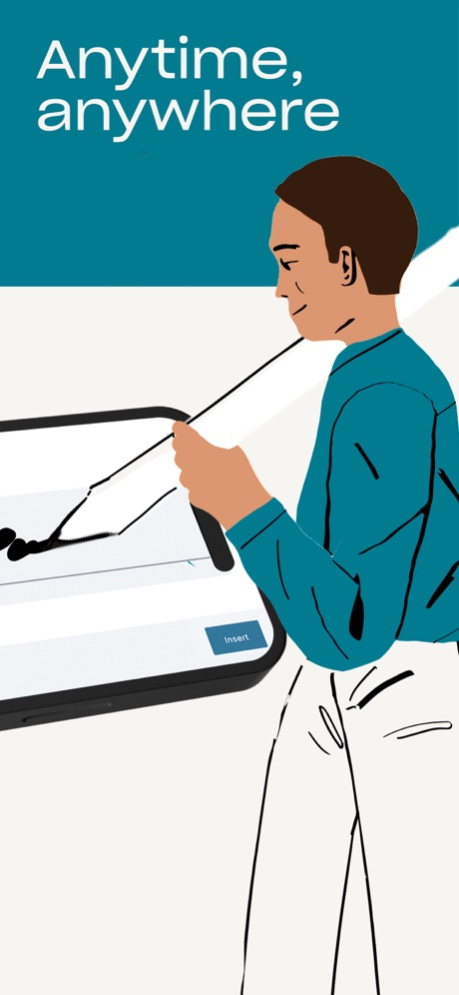

eSignatures have never been this easy! Dropbox Sign streamlines your workflows by helping you prepare, send, sign, and track agreements with legally-binding eSignatures.
Legally binding signatures from the palm of your hand!
The Dropbox Sign mobile signature app is the fastest way to request signatures from the convenience of your phone, so nothing gets in between you and that next signed agreement. After all, work doesn't stop when you're away from your computer. Dropbox Sign streamlines your document workflows by helping you prepare, send, sign, and track agreements with legally-binding eSignatures.
Features:
• Request signatures: The Dropbox Sign mobile signature app lets you create new requests and use existing templates without missing a beat. Add your signer's email address, place the fields where necessary, and send out for signature with just a tap.
• Unlimited self-sign: Add your signature to documents as many times as you want. The free Dropbox Sign plan now includes unlimited self-signing.
• Scan documents: Scan documents on the fly! Take a photo and our mobile document signing app will automatically convert them into PDFs for you to prepare and send for signature.
• Upload files: Upload your documents for signature from nearly any platform, including phones or tablets, email, Dropbox, Google Drive, and more.
• Track status: Save time—and get peace of mind—with document status updates straight on the home screen. Check the status of sent requests and send reminders to ensure your workflows stay on track.
• Supported file types: We support a wide range of file types, from PDF to DOC and images (PNG, JPG).
• Download & share: Download, share, and upload completed PDF forms, documents, and agreements.
Dropbox Sign supports millions of users worldwide, each with unique electronic signature workflows. We know eSignature is just a small part of your business, so Dropbox Sign meets our customers wherever they get work done. Whether you're working from home or on-the-go, the Dropbox Sign mobile app makes it simple to automate and sign your most important agreements.
Streamlined agreement workflows save your businesses money and save you time. Spend less time chasing signatures and paperwork and more time on your goals. Voted #1 for Ease of Use from G2 Crowd for 4 years in a row, Dropbox Sign is a simple, easy to use way to get documents signed securely online. Security features help you protect yourself and your relationships, while integrations and mobile-friendly make it easy to keep working where you are, whether you’re on the go or simply working in a specific tool.
Before starting a trial or completing payment, you’ll see the plan price. This amount will be charged to your iTunes account at confirmation of purchase and on renewal and will vary by plan and country. Dropbox Sign subscriptions purchased in-app renew monthly or yearly, depending on your plan. Your account will be charged for renewal 24 hours before the end of your current billing period. To avoid auto-renewal, turn it off in at least 24 hours before your subscription renews. You can turn off auto-renewal anytime from your iTunes account settings. You can manage and cancel your subscriptions by going to your account settings on the App Store after purchase.
Dropbox Sign is a part of Dropbox, a secure cloud solutions leader trusted by Fortune 500 companies for their most sensitive data. Over 14 million paid users choose Dropbox because they know they can count on a company that’s also dedicated to their security and privacy—no matter what they do or where they are.
We’d love to hear from you! Join the Dropbox community: https://www.dropboxforum.com
To learn more about the Dropbox Sign mobile app check out: https://www.hellosign.com/features/mobile
Terms of Service: https://www.hellosign.com/terms
Privacy Policy: https://www.hellosign.com/privacy
Dropbox Sign is not affiliated with DocuSign, PandaDoc, Adobe Fill and Sign, SignNow, or DocuScan.
May 1, 2024
Version 1.17
Various bug fixes and performance improvements — enjoy!
About Dropbox Sign: Sign & Fill Docs
The company that develops Dropbox Sign: Sign & Fill Docs is Dropbox, Inc.. The latest version released by its developer is 1.17.
To install Dropbox Sign: Sign & Fill Docs on your iOS device, just click the green Continue To App button above to start the installation process. The app is listed on our website since 2024-05-01 and was downloaded 0 times. We have already checked if the download link is safe, however for your own protection we recommend that you scan the downloaded app with your antivirus. Your antivirus may detect the Dropbox Sign: Sign & Fill Docs as malware if the download link is broken.
How to install Dropbox Sign: Sign & Fill Docs on your iOS device:
- Click on the Continue To App button on our website. This will redirect you to the App Store.
- Once the Dropbox Sign: Sign & Fill Docs is shown in the iTunes listing of your iOS device, you can start its download and installation. Tap on the GET button to the right of the app to start downloading it.
- If you are not logged-in the iOS appstore app, you'll be prompted for your your Apple ID and/or password.
- After Dropbox Sign: Sign & Fill Docs is downloaded, you'll see an INSTALL button to the right. Tap on it to start the actual installation of the iOS app.
- Once installation is finished you can tap on the OPEN button to start it. Its icon will also be added to your device home screen.
Program Details
System requirements
Download information
Pricing
Version History
version 1.17
posted on 2024-05-01
May 1, 2024
Version 1.17
Various bug fixes and performance improvements — enjoy!
version 1.16
posted on 2023-05-16
May 16, 2023
Version 1.16
Various bug fixes and performance improvements — enjoy!
version 1.15
posted on 2023-05-03
May 3, 2023
Version 1.15
What’s New
• Learn how quickly you can get your first document signed! Whether it's you or someone else that needs to sign, it's easy to get it done. Just download Dropbox Sign and we will guide you through the process with our new and improved onboarding tutorial.
version 1.14
posted on 2023-03-29
Mar 29, 2023
Version 1.14
Various bug fixes and performance improvements — enjoy!
version 1.9
posted on 2022-08-15
Aug 15, 2022 Version 1.9
We release updates regularly and are always looking for ways to make the app better. If you have any feedback or run into issues, send us a message in our app. We’re happy to help!
version 1.7
posted on 2022-05-16
May 16, 2022 Version 1.7
This release brings core legally-binding eSignature functionality to your mobile device:
- Prepare & send: Upload a document, take a photo, or use one of your templates to quickly prepare and send out a signature request
- Share to sign: Share documents from other apps, like email, Dropbox or Google Docs, to HelloSign to send for signature
- Sign your documents: Upload a document to fill in and sign
- Monitor & manage: Track the status of your signature requests right from the home screen and download or share completed agreements
version 1.6
posted on 2022-04-11
Apr 11, 2022 Version 1.6
This release brings core legally-binding eSignature functionality to your mobile device:
- Prepare & send: Upload a document, take a photo, or use one of your templates to quickly prepare and send out a signature request
- Share to sign: Share documents from other apps, like email, Dropbox or Google Docs, to HelloSign to send for signature
- Sign your documents: Upload a document to fill in and sign
- Monitor & manage: Track the status of your signature requests right from the home screen and download or share completed agreements
version 1.4
posted on 2022-03-08
Mar 8, 2022 Version 1.4
This release brings core legally-binding eSignature functionality to your mobile device:
- Prepare & send: Upload a document, take a photo, or use one of your templates to quickly prepare and send out a signature request
- Share to sign: Share documents from other apps, like email, Dropbox or Google Docs, to HelloSign to send for signature
- Sign your documents: Upload a document to fill in and sign
- Monitor & manage: Track the status of your signature requests right from the home screen and download or share completed agreements
version 1.3
posted on 2022-01-31
Jan 31, 2022 Version 1.3
This release brings core legally-binding eSignature functionality to your mobile device:
- Prepare & send: Upload a document, take a photo, or use one of your templates to quickly prepare and send out a signature request
- Share to sign: Share documents from other apps, like email, Dropbox or Google Docs, to HelloSign to send for signature
- Sign your documents: Upload a document to fill in and sign
- Monitor & manage: Track the status of your signature requests right from the home screen and download or share completed agreements
version 1.0.1
posted on 2021-11-22
Nov 22, 2021 Version 1.0.1
Optimized iPad performance
Disclaimer
Official App Store Link
We do not host Dropbox Sign: Sign & Fill Docs on our servers. We did not scan it for viruses, adware, spyware or other type of malware. This app is hosted by Apple and passed their terms and conditions to be listed there. We recommend caution when installing it.
The App Store link for Dropbox Sign: Sign & Fill Docs is provided to you by apps112.com without any warranties, representations or guarantees of any kind, so access it at your own risk.
If you have questions regarding this particular app contact the publisher directly. For questions about the functionalities of apps112.com contact us.
